

Free download · no sign-up · matched to your country
AvLog — a free pilot logbook in your country's own format
Pick your authority — FAA, EASA, UK CAA, CASA or Transport Canada — and download a logbook laid out with the columns you already know. It totals your hours, flags your recency against your authority's own rules, and hands you the exact figures to drop into your AvLink profile. Works in Excel, Google Sheets and Numbers.
Choose your country
You'll get a logbook laid out like your authority's — the same columns you already know.
🌐 ICAO / generic. A clean ICAO-style logbook that suits any authority — the safe pick if yours isn't listed yet.
Free · no sign-up · works in Excel, Google Sheets, Numbers & LibreOffice. Using Google Sheets? Open Sheets, then File → Import → Upload and pick the file — every formula works the same.
Laid out like your logbook
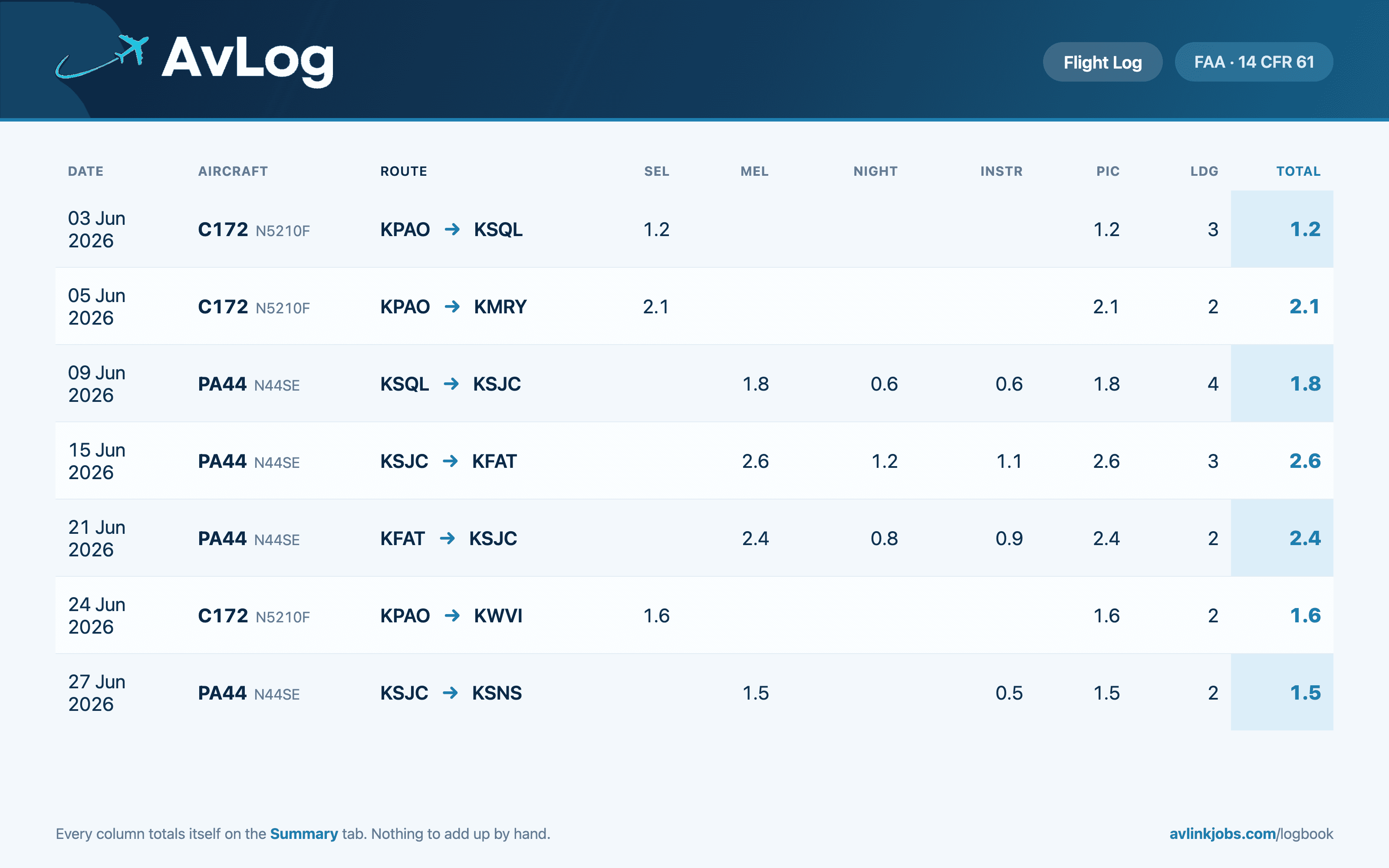
Pick your authority and the columns match what you already use — FAA (14 CFR 61), EASA & UK CAA (FCL.050), CASA Part 61, Transport Canada, or a clean ICAO layout for anywhere else.
Totals that do themselves
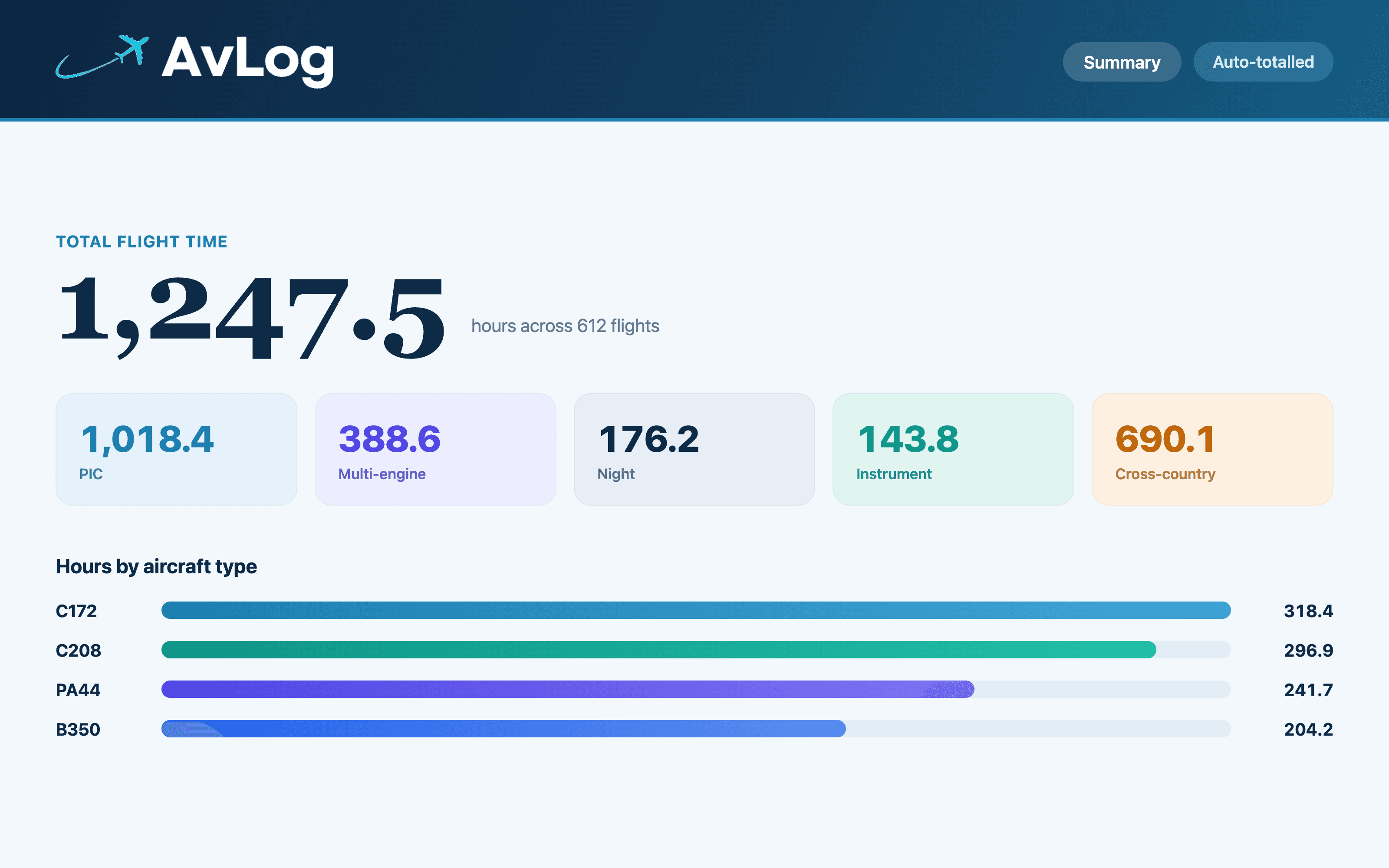
Every category totals automatically as you type — plus hours by aircraft type and a Trends tab that charts your last 12 months, with rolling 28-day, 90-day and 12-month totals. No formulas to touch.
Currency to your rules
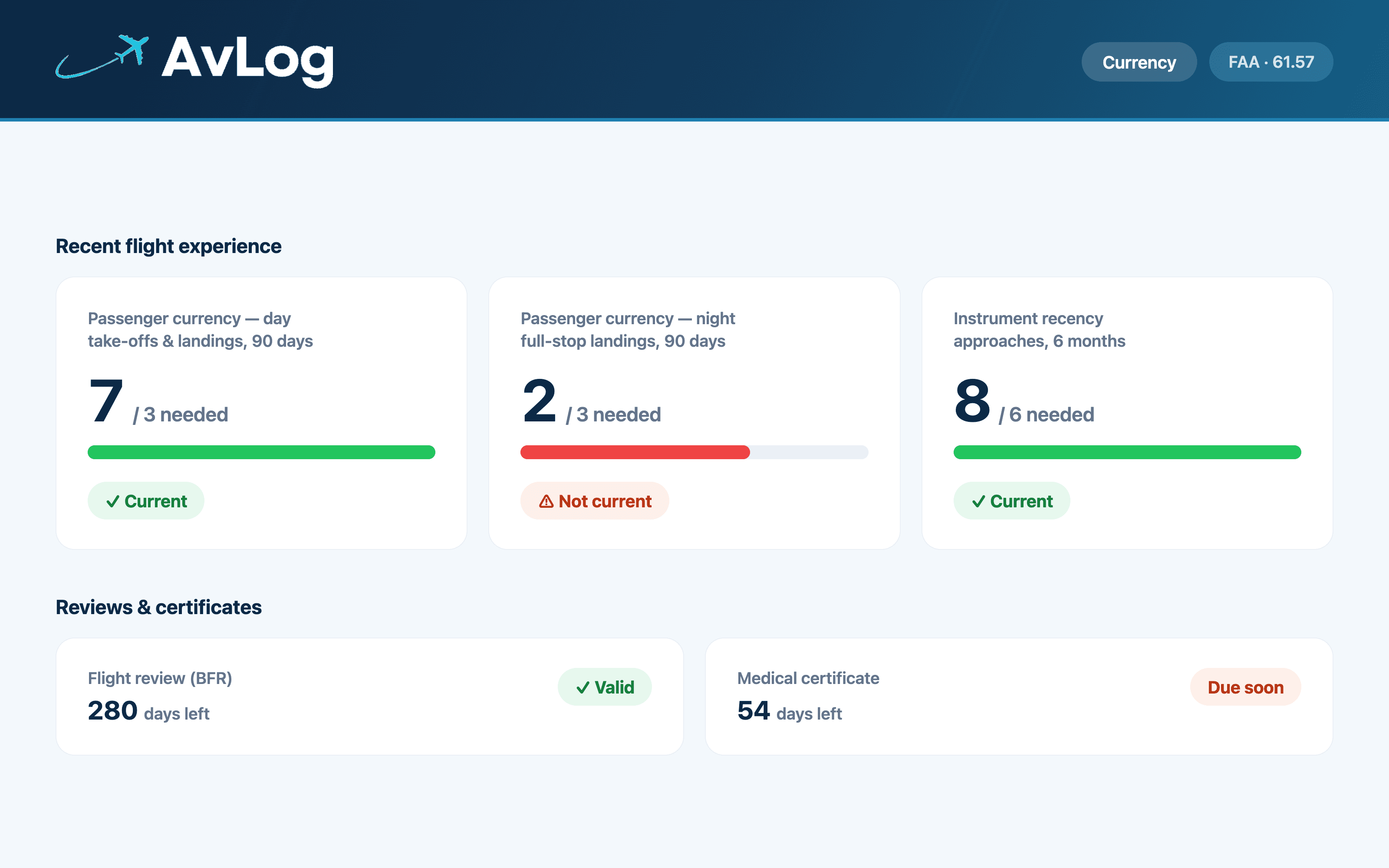
Recency worked out from your flights against your authority's own limits — FAA 61.57, EASA/UK FCL.060, CASA Part 61 or Canada's 6-month rule — with flight-review and medical reminders.
Built for applications
An ‘AvLink Profile’ tab hands you the exact figures operators ask for — ready to paste into your profile.
AvLog for your country
Each edition matches its authority's logbook format and recency rules. Open the one for your country:
A look inside AvLog
Six tabs that do the work: a flight log in your country's format, a Summary that totals everything, a Trends tab that charts your last 12 months, and a Currency tab that checks your recency against your authority's own rules.
How it works
- 1Pick your country and download it free — it opens in Excel, Google Sheets or Numbers.
- 2Log your flights, one row each — or start with a single ‘brought forward’ total.
- 3Read your live totals, trends and recency on the Summary, Trends & Currency tabs.
- 4Paste the numbers into AvLink and see the jobs matched to them.
One honest note
AvLog is a personal tracking & summary tool for planning and job applications — it is not an authority-approved logbook and doesn’t, on its own, satisfy CASA, FAA, EASA or any regulator’s logbook requirements. Keep your official logbook as your legal record, and always confirm recency against your own authority’s current rules. The currency figures are a guide, not gospel.
Know your numbers? See the jobs matched to them.
AvLink matches roles to your hours, ratings and type certificates — free for pilots. Build your profile once and only see seats you actually qualify for.